
Find your way around the workspace
Know where project setup, builds, release destinations and settings belong.
Projects and the project overview
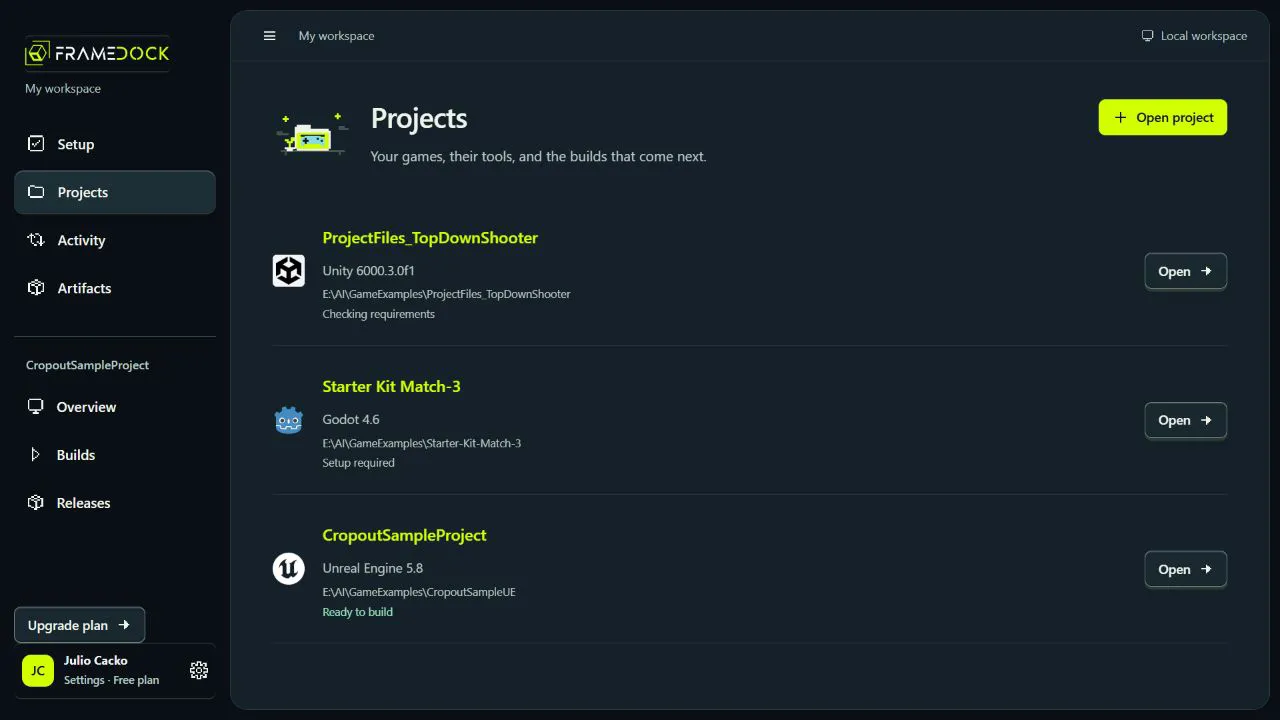
Projects lists your games. Open a project to see its engine, readiness and recent artifact. Open project adds existing source; it does not create a new game.
- Choose Open project and select the game folder.
- Open the detected project to inspect its overview.
Expected result: The intended engine and project version appear in the workspace.
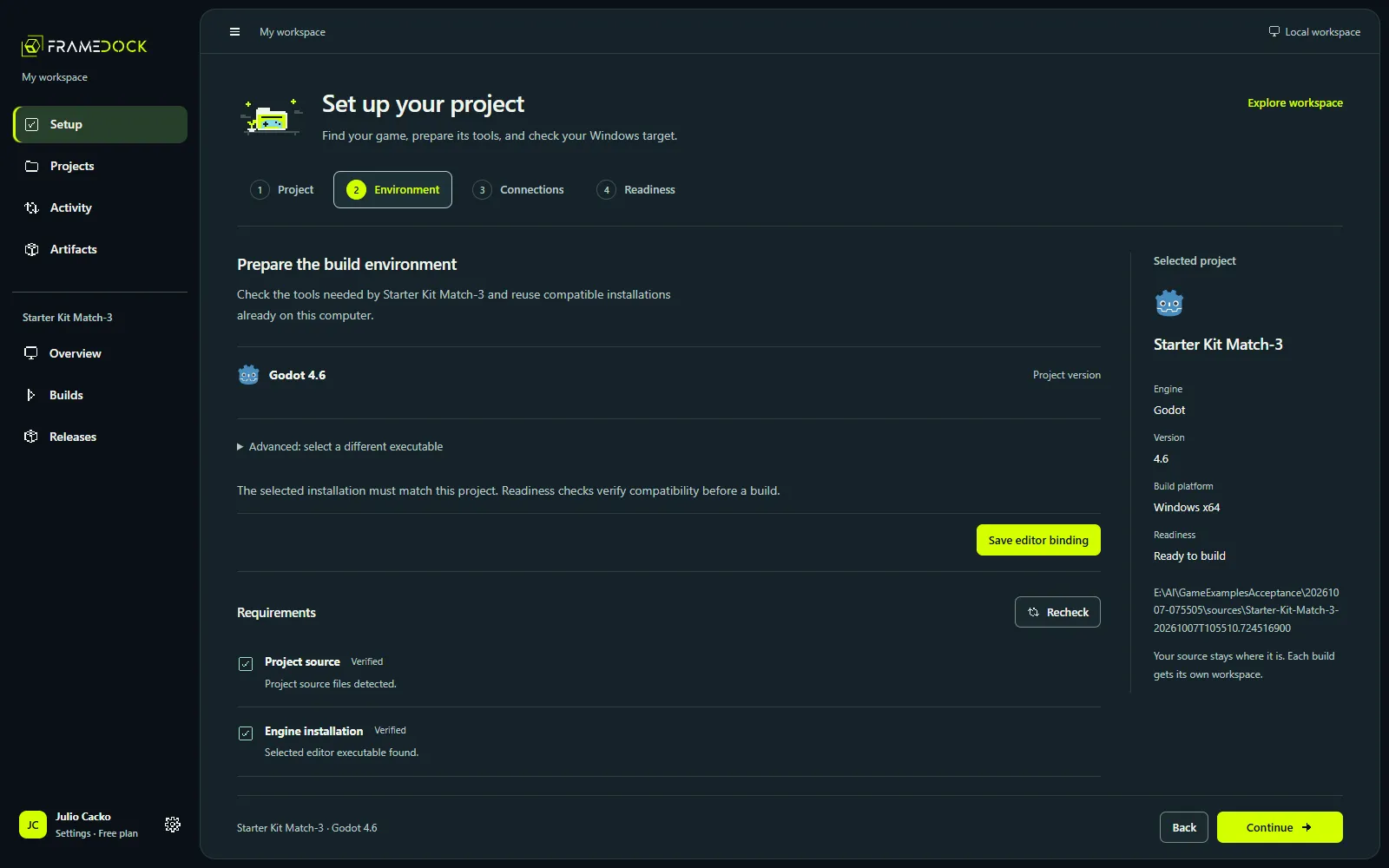
Setup: Project, Environment, Connections, Readiness
Project identifies the source. Environment checks the matching editor and target tools. Connections adds optional external services. Readiness rechecks the requirements before you build.
Expected result: You can locate the stage responsible for a missing requirement.
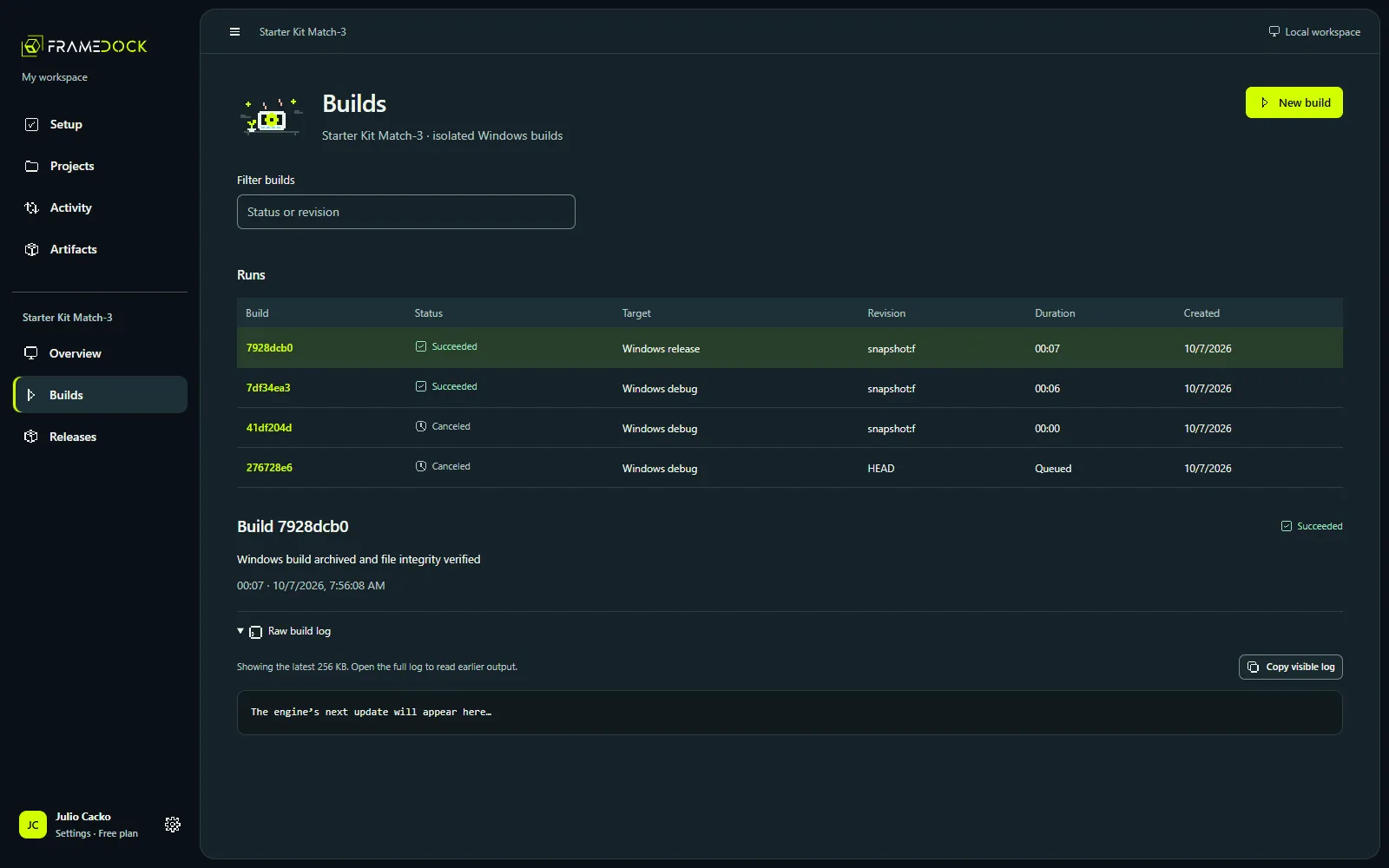
Builds and Releases
Builds keeps queue status, diagnostics and the raw log. Releases prepares a destination for a selected artifact. A successful build, an upload and a confirmed store branch are different results.
Personal, workspace and project settings
The local-profile button opens Settings. Personal settings control appearance, text size, motion and notifications. Workspace settings own tools, accounts and storage. Project settings own targets, publishing destinations and Discord notifications.
Expected result: Change a shared tool in workspace settings and a store destination in project settings.