frameDock for Windows.
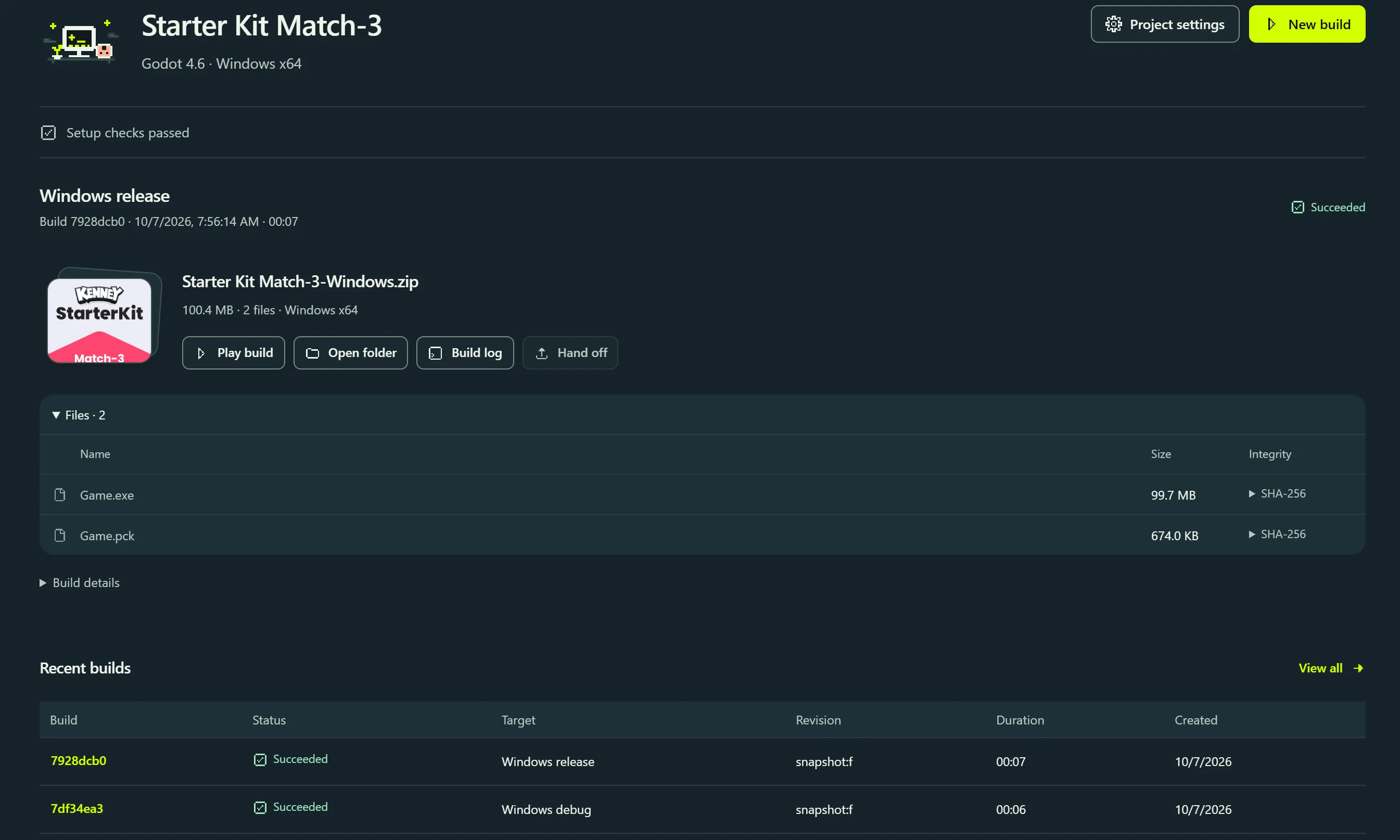
Build from your own project. Keep the artifact, its file manifest and the raw engine log together in one local workspace.
- Platform
- Windows x64
- Desktop runtime
- Microsoft WebView2
- Current release
- 2026.1 pilot · build 2026.1.0
The installer is delivered through your account. Verify your email, then use the Windows download shown in your account. There is no public installer link on this website.
Before you install.
The 2026.1 Windows pilot is unsigned. Live provider uploads, clean-machine dependency installation, signing, and console SDK execution remain unverified.
You need your project's matching engine editor and Windows build support. Godot needs export templates; Unity needs the exact editor and a valid license; Unreal needs the matching toolchain and Windows SDK. frameDock detects what is available and names missing requirements.
Once a signed release is published, check its publisher and the SHA-256 supplied by your account before installing. A checksum confirms file integrity; it does not replace publisher signing.
After the download.
- Open frameDock and sign in with the same verified email.
- Choose a local Godot, Unity or Unreal project, or an authorized GitHub repository.
- Review the detected editor and Windows target. Resolve the requirements the app identifies.
- Run a build, inspect its artifact and file manifest, then play it before configuring a release destination.